KelVPN
 Guide
Guide 12 min
VPN for Online Payments: Protecting Bank Cards on Public Networks
Introduction: Why Protecting Cards During Online Payments Is Critical
In 2026, cashless payments have become the absolute norm. We pay for purchases in online stores, order food, buy tickets and subscriptions directly from smartphones and laptops. Payment convenience is growing, but so are the risks. We become especially vulnerable when using public Wi-Fi networks for payments — in cafes, airports, hotels, shopping malls.
Cybercriminals actively hunt for bank card data precisely in such places. An unsecured connection allows traffic interception, theft of card numbers, CVV codes, and passwords. According to statistics, the number of cyberattacks on payment data via public networks has increased by 40% in the last two years. A VPN for online payments is becoming not just a useful option but an essential tool for financial security.
KelVPN gives users:
- Reliable encryption: all data, including payment information, is transmitted in encrypted form, inaccessible for interception.
- Real IP hiding: attackers cannot determine your location or use it for attacks.
- Protection on public networks: even on an unsecured cafe Wi-Fi, your connection becomes private.
- Quantum-resistant security: your data is protected not only today but also against future threats.
Secure Payments Anywhere

Pay for purchases in cafes, airports, and hotels without fear of card data theft. A VPN creates a secure tunnel for your traffic.
Quantum-Resistant Encryption

CRYSTALS-Dilithium and Kyber 512 algorithms protect your payment data from interception and future decryption.
IP and Geolocation Hiding

Your real IP address is hidden, preventing location tracking and targeted attacks.
Protection Against MITM Attacks
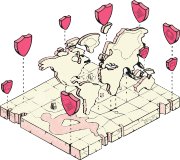
A VPN prevents man-in-the-middle attacks, where attackers intercept and modify data between you and the site.
Main Threats When Paying on Public Wi-Fi Networks
Public Wi-Fi networks are designed for convenience, but their architecture is highly vulnerable. Here are the main risks users face when entering card details in a cafe or airport:
Traffic Interception (Sniffing)
Attackers can use special software to "listen" to traffic on the same network. If the connection is unencrypted, they see all transmitted data: card numbers, logins, passwords. Pages without HTTPS or with outdated encryption protocols are especially dangerous.
Fake Access Points (Evil Twin)
Hackers create an access point with a name similar to a legitimate one (e.g., "Airport_Free_WiFi" instead of the official one). The victim connects to it, and all data passes through the attacker. A VPN encrypts traffic even on such fake points, making interception useless.
MITM Attacks (Man-in-the-Middle)
A man-in-the-middle attack allows not only interception but also data modification. For example, when requesting a payment page, the attacker may redirect you to a fake site that looks identical to the real one. A VPN prevents this by creating an encrypted channel that cannot be tampered with.
Theft of Session Cookies
Even if you don't enter card data directly, attackers can steal cookies from your session on an online store or bank site. This allows them to log into your account and make purchases. VPN encryption protects this data too.
DNS Attacks
DNS request redirection can replace a site's address: instead of a secure site, you end up on a phishing page. A VPN with its own DNS protection prevents such attacks.
According to experts, up to 25% of public Wi-Fi hotspots lack even basic protection, and another 15% may be compromised. Using a VPN is the only way to guarantee payment security in such environments.
How a VPN Protects Your Bank Cards During Online Payments
A VPN (Virtual Private Network) works as a secure tunnel between your device and the internet. Here's what happens when you turn on KelVPN before paying:
- Encryption of all traffic: all data sent from your device (including card numbers, CVV, passwords) is converted into unreadable code. Even if an attacker intercepts packets, they see only meaningless characters.
- IP address change: your real IP is hidden, and the site only sees the VPN server's IP. This prevents data from being tied to your location and complicates targeted attacks.
- Protection against DNS spoofing: KelVPN uses its own DNS servers, eliminating the possibility of redirection to phishing sites.
- Prevention of WebRTC leaks: WebRTC technology in browsers can reveal your real IP even with a VPN on. KelVPN blocks such leaks.
It's important to understand: a VPN does not replace an antivirus and does not protect against phishing if you click a link to a fake site yourself. But it makes data interception and traffic tampering at the network level impossible.
Paid vs. Free VPNs: Why Financial Security Requires a Reliable Service
Many users are tempted by free VPNs, but when dealing with money, such savings are deadly dangerous. Free VPN services often themselves pose a threat to your finances.
| Criteria | Free VPNs | KelVPN (Paid) |
|---|---|---|
| Monetization Model | Selling user data, including browsing history and potentially payment information | Only subscription, no data selling |
| Encryption | Weak, outdated protocols, possible vulnerabilities | Quantum-resistant (CRYSTALS-Dilithium, Kyber 512) |
| Logging Policy | Often keep logs that can be sold to third parties or stolen | Strict zero-logs policy, we store no activity data |
| Leak Protection | DNS and WebRTC leaks are common | Built-in DNS, IPv6, WebRTC leak protection |
| Speed | Limited, overloaded servers, which can hinder payments | High speed thanks to decentralized nodes |
Free VPNs that inject ad modules tracking your actions are especially dangerous. There are known cases where free services themselves stole credit card data. Therefore, for financial transactions, only use trusted paid solutions like KelVPN.
How to Properly Use a VPN for Secure Payments: Step-by-Step Guide
To maximize payment security, follow this simple algorithm. Just four steps and your cards are protected.
Step 1. Download KelVPN
Install the app on the device you'll use for payments (laptop, smartphone).
Step 2. Connect to VPN

Choose a country (any, even your own) and click "Connect". Make sure the VPN icon is active.
Step 3. Check Protection
Go to a site like 2ip.io to verify your IP has changed and there are no leaks.
Step 4. Make Your Payment
Now you can safely enter card details on websites and apps. Your connection is protected.
Additional tips:
- Try not to use public Wi-Fi for very large payments unless absolutely necessary.
- Ensure the site where you enter data uses HTTPS (padlock icon in the address bar).
- After completing the payment, you can turn off the VPN, but for constant protection it's better to keep it on always.
- Use virtual cards or separate cards for online purchases with low limits.
Why KelVPN Is the Ideal Choice for Payment Protection
KelVPN offers unique advantages especially important for financial transactions:
- Quantum-resistant encryption: standard encryption algorithms may be broken in the future by quantum computers. KelVPN uses post-quantum algorithms approved by NIST, guaranteeing your data's protection for decades.
- Decentralized architecture: unlike centralized VPNs, we have no single server that can be hacked or blocked. Your data is routed through many independent nodes, eliminating interception at one point.
- Zero-logs policy: we don't store connection logs, so even in the hypothetical event of an authorities' request, we have no information about your payments or activity to provide.
- High speed: decentralized nodes ensure fast connections necessary for comfortable payment and transaction confirmation.
Legality of Using a VPN for Financial Transactions
In the vast majority of countries, including the USA, UK, all EU nations, and others, using a VPN is completely legal. It is a legitimate tool for protecting personal data, including banking information. Moreover, many financial regulators recommend using a VPN when accessing online banking on public networks.
However, KelVPN strongly asks you to respect copyright laws and study the current legislation of the country where you reside or are visiting. Using a VPN for illegal activities (fraud, hacking, circumventing sanctions for unlawful purposes) is prohibited. Compliance with the law is your responsibility.
Our Position: KelVPN is intended for data protection, privacy, and lawful access to information, not for breaking the law.
Who We Are: About the KelVPN Project
KelVPN is part of the Cellframe Network ecosystem, focused on building quantum-secure services using blockchain. The project has its own KEL token, traded on UniSwap and PancakeSwap. Token holders can stake and even become VPN providers, earning income by sharing their traffic. Technical requirements are minimal: a stable internet connection, a public IP, and a small amount of staked KEL. Thus, the network is developed by the users themselves, guaranteeing its independence and resilience.
The History of VPN: From ARPANET to Quantum Protection
1960s
ARPANET — the predecessor of the internet, laying the foundations of TCP/IP. Security wasn't a priority then.
1993
Development of swIPe — the first protocol resembling modern VPNs. The beginning of the data protection era.
1996
PPTP from Microsoft — the first mass-market VPN protocol, used by companies for remote access.
2020s
Rise in cyberattacks on payment data. VPNs become essential for financial security.
Today
KelVPN combines decentralization, blockchain, and quantum resistance, providing maximum protection for your money.
Platforms and Devices: KelVPN Where You Need Protection
Download VPN for Your Platform
KelVPN for PC
KelVPN for Mobile
Other Platforms
Technical Support
Having installation issues? Contact our support team.
FAQ: Answers to Common Questions About Payment Protection with VPN
Glossary: Key Terms for Secure Payments
- VPN (Virtual Private Network): technology that creates an encrypted tunnel between your device and the internet, hiding your real IP and protecting data.
- Encryption: the process of converting data into unreadable form to protect against interception.
- MITM attack (Man-in-the-Middle): an attack where the attacker intercepts and may alter messages between two parties.
- Phishing: a type of fraud where attackers create fake sites to steal data.
- Sniffing: listening to network traffic to intercept data.
- DNS leak: a situation where DNS requests escape the VPN tunnel, revealing your real IP.
- Kill Switch: a feature that automatically cuts internet access if the VPN drops, preventing leaks.
- Zero-logs: a policy where the service stores no user activity data.
- Quantum-resistant encryption: algorithms immune to attacks by quantum computers.
- Decentralized VPN: a VPN built on a network of independent nodes, not centralized servers.