KelVPN
 About
About 8 min
8 minKill Switch: Why You Need It and How to Verify It Works

Imagine this: you're sitting in a cozy café, connected to an open Wi-Fi network. You turn on your VPN and calmly enter your password for a banking app. Suddenly — the VPN connection drops. If your device has no protection, your traffic instantly switches to an unsecured connection. Your real IP address and all transmitted data (logins, passwords, personal photos) become visible to anyone on the same network.
To prevent such situations, there is the Kill Switch — a feature that automatically cuts off internet access when the VPN connection fails. In this article, we'll explain what a Kill Switch is, why you need it, and provide a universal guide on how to test that it really works.
What is a Kill Switch?

A feature that automatically blocks all internet traffic if the VPN connection drops.
Why do you need it?

To prevent your real IP and private data from leaking onto an unsecured network.
How does it work?

It monitors the VPN tunnel state and instantly disables internet access if the tunnel breaks.
How to test it?
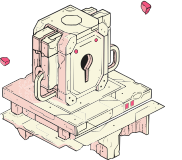
With a simple test: disconnect the VPN and check that internet is gone and your IP hasn't changed.
Part 1. What is a Kill Switch and How Does It Work?
A Kill Switch is a security feature built into a VPN client. Its job is to monitor the state of the VPN connection. As soon as the connection to the VPN server is interrupted (for any reason), the Kill Switch immediately blocks all internet traffic on your device. This can be implemented through the system firewall or by modifying network rules.
As a result, your device stops sending and receiving any data until the VPN is restored. This guarantees that your real IP address and unencrypted data never leave your device through a regular, unprotected connection.
Part 2. Why You Need a Kill Switch: Common Scenarios
- Connection drops: Even the most stable internet can glitch. If your VPN disconnects for a second, without a Kill Switch your traffic immediately goes straight to your ISP.
- Network switching: When you move from Wi-Fi to mobile data, the VPN may temporarily lose connection. A Kill Switch prevents data leaks during that switch.
- VPN server failures: Sometimes the server you're connected to may reboot or crash. A Kill Switch stops your device from switching to an unprotected backup channel.
- VPN connection attacks: Attackers may try to forcibly disconnect your VPN. A Kill Switch ensures they cannot intercept your traffic at that moment.
Part 3. How to Test Your Kill Switch: A Universal Guide
You can perform this test with any VPN client that supports a Kill Switch. Important: before testing, make sure the feature is enabled in your VPN settings.
Step 1. Connect to the VPN

Launch your VPN client and connect to any server. Ensure the VPN icon is active.
Step 2. Check your IP
Visit any IP-checking website (e.g., whatismyip.com) and note your current IP address.
Step 3. Simulate a VPN drop
In your VPN client, choose "Disconnect" or completely close the application (via task manager or by swiping it away in the mobile multitasking menu).
Step 4. Check internet access
Try to open any website or app that requires internet. If the Kill Switch is working correctly, you should have no connectivity. Check your IP again — it should remain the same as when the VPN was connected.
Important: After the test, reconnect your VPN or restart your device to restore internet access. If the Kill Switch worked properly, you won't be able to go online until you reactivate the VPN.
Part 4. Types of Kill Switch: Application-Level vs System-Level
There are two main ways a Kill Switch can be implemented:
- Application-level: The VPN client itself controls the traffic. If the client crashes, the protection disappears. This is less reliable.
- System-level (firewall): The VPN client sets rules in the operating system's built-in firewall. Even if the app crashes, the rules remain and internet stays blocked until reboot or manual reset.
A system-level Kill Switch provides maximum protection, and that's exactly what KelVPN uses.
Part 5. Kill Switch in KelVPN: Always On, Never Off
In KelVPN applications, the Kill Switch is enabled by default and cannot be turned off by the user. We made this decision deliberately to guarantee maximum security for everyone, even those who might forget to enable protection manually or accidentally disable it.
Thanks to its system-level implementation, KelVPN's Kill Switch continues to work even if the application terminates unexpectedly or the operating system glitches. You can be confident that no byte of your data will ever leave your device through an unprotected connection.
Part 6. Comparison: VPN With vs Without Kill Switch
| Scenario | VPN without Kill Switch | KelVPN (with Kill Switch) |
|---|---|---|
| Connection drop | Traffic leaks to the open network | Internet blocked, data protected |
| Network switch (Wi-Fi → 4G) | Possible short leak | Access blocked until VPN restores |
| VPN server failure | IP becomes immediately visible | No connectivity, IP hidden |
| Protection against disconnect attacks | Vulnerable | Protected |
Part 7. Legality of Using a Kill Switch
A Kill Switch is purely a technical security feature; it has nothing to do with legality. It protects your data and privacy. Its use is allowed in all countries where VPNs themselves are legal. KelVPN recommends always keeping the Kill Switch active for maximum protection.
Who We Are: About the KelVPN Project
KelVPN is a decentralized, quantum-secure VPN service, part of the Cellframe Network ecosystem. We use blockchain technology to create a transparent and resilient network. Our users can become node providers and earn KEL tokens by sharing their traffic. We guarantee a strict zero-logs policy and use quantum-resistant encryption to protect your data today and in the future.
Platforms and Devices: KelVPN Where You Need Protection
Download VPN for Your Platform
KelVPN for PC
KelVPN for Mobile
Other Platforms
Technical Support
Having installation issues? Contact our support team.
FAQ: Answers to Common Questions About Kill Switch
Glossary: Key Terms
- Kill Switch (emergency cut-off): a feature that blocks internet traffic when the VPN connection drops.
- IP leak: a situation where your real IP address becomes visible due to a security failure.
- DNS leak: sending DNS requests outside the encrypted tunnel, revealing which sites you visit.
- WebRTC leak: real-IP leakage through browser WebRTC connections.
- Firewall: a program or device that controls network traffic according to defined rules.
- Zero-logs: a policy where the service stores no user data.
Conclusion
The Kill Switch is a critically important feature for anyone who cares about their privacy. Even the most reliable VPN connection can occasionally drop, and only a Kill Switch guarantees that at that moment your data stays safe. In KelVPN, this feature is enabled by default and cannot be turned off, giving you constant protection without any configuration. You can test it in just a couple of minutes using our universal guide.